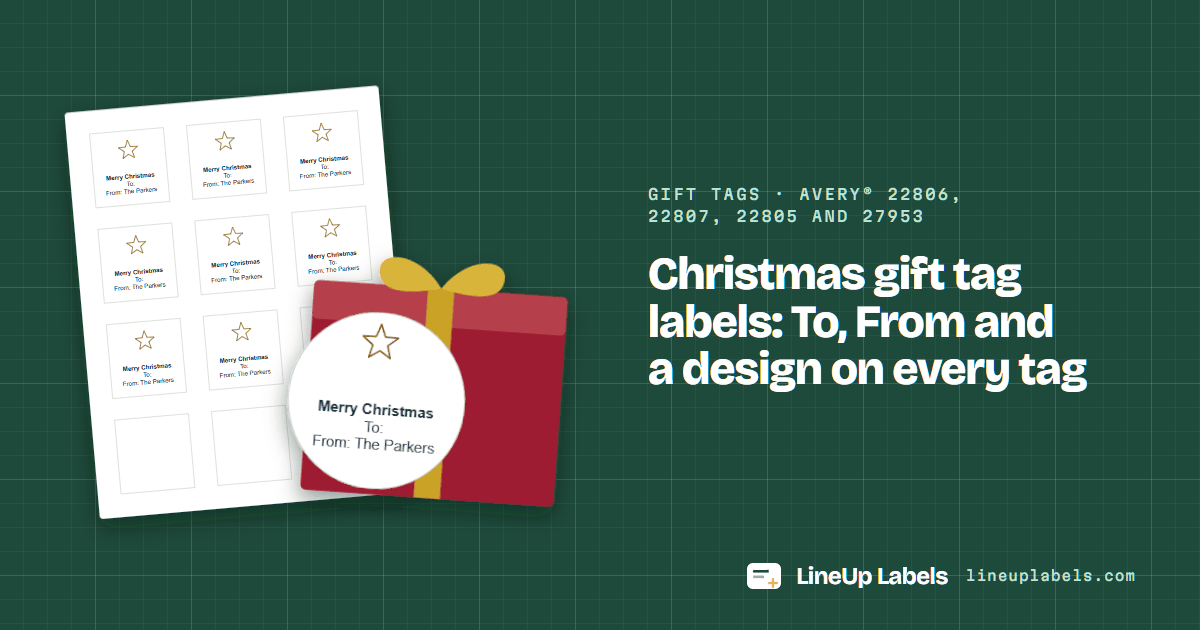
Print at actual size
"Fit to page" can resize the sheet, and then the lower rows drift off their labels. The PDF opens at 100%; keep it there.
Gift tags · Avery® 22806, 22807, 22805 and 27953
Updated
Type the tag once, “Merry Christmas”, “To:” and who it's from, pick a design and the number on your box, and the whole sheet fills: 12 tags of 2 in square on 22806, 12 circles on 22807 or 24 smaller squares on 22805. Download the PDF, print at 100% and peel.
How many sheets your gifts take
Do it here
Type it once and pick the number on your box. “To:” stays blank for a pen; for a name on each tag, the full editor reads your list.
Worked example
Each drawn on an Avery® 22806 tag, 2 in square, as the PDF prints it: the design above the lines, the text centered and set to fit.
From you, to write in
The same tag on all of them: the greeting, “To:” left blank for a pen, and who they're from, typed once in the sheet above.
A name on each tag
From a list: the full editor's Gift tags button makes line 1 “To:” and each row's name, and line 2 “From:”, typed once. Open it on 22806.
No To or From
A greeting and a family name, for gift bags, cookie tins and the presents under your own tree.
Drawn by the same layout code as the download, with the tag this page starts with.
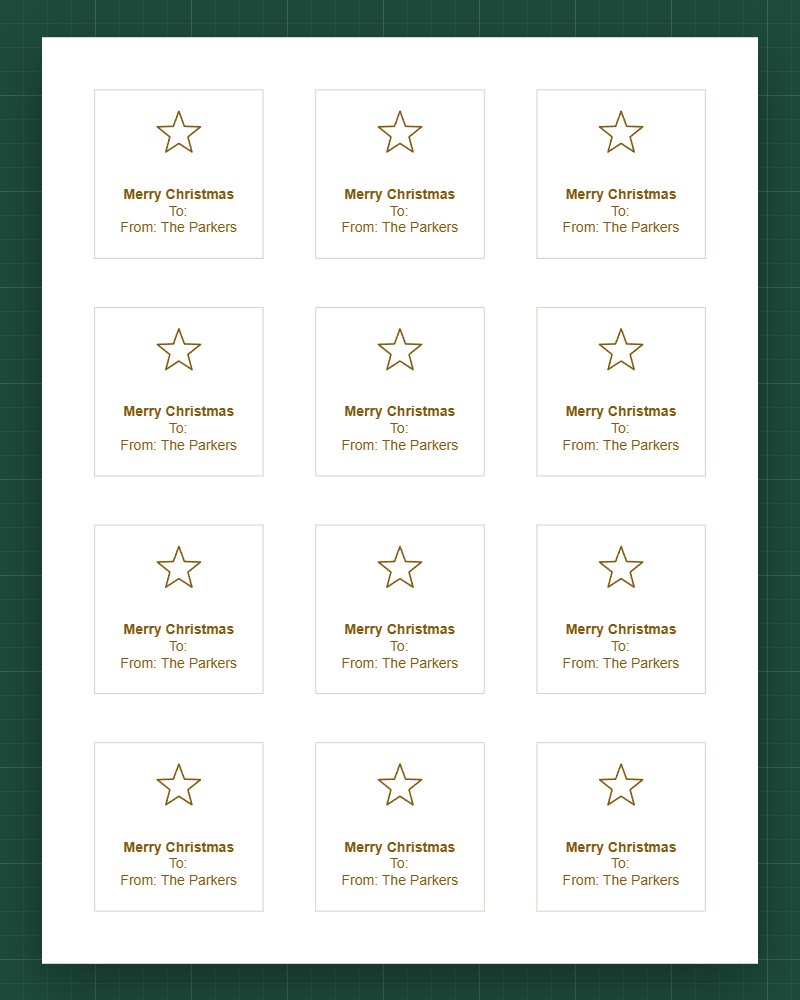
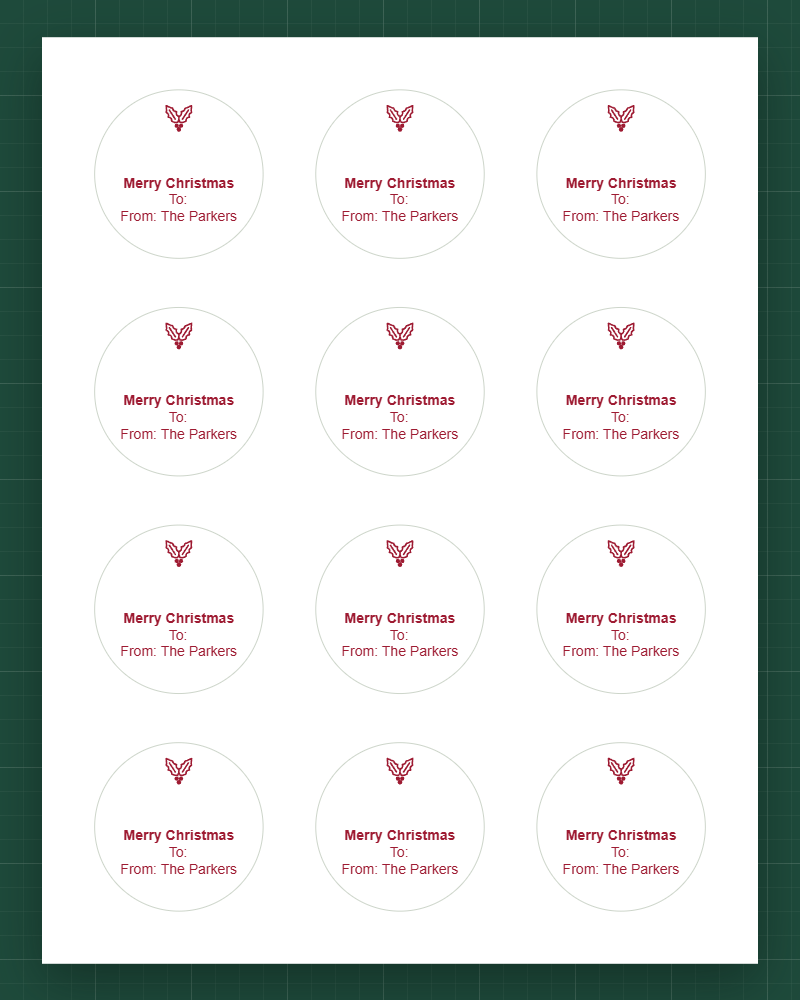
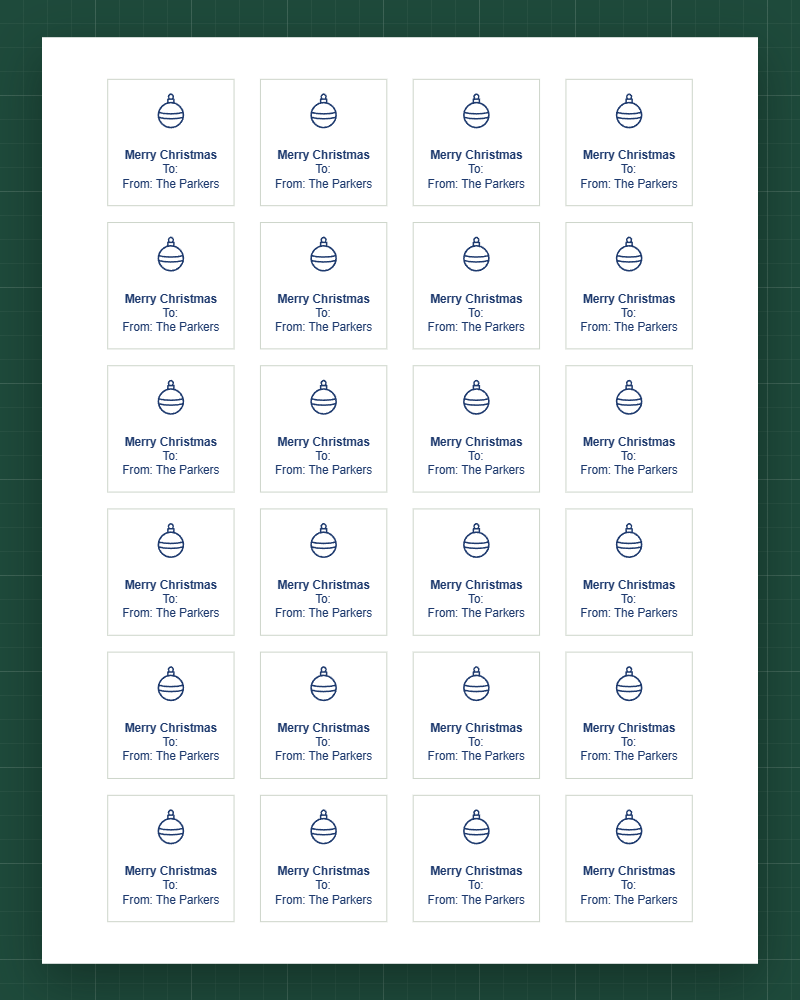
A greeting on top, then “To:” and “From:”. Leave “To:” bare to write each name by hand, or leave the greeting out for a plain tag.
A snowflake, an evergreen, holly, an ornament, a star, a gift, a wreath or a candle, in black, cranberry, evergreen, navy or gold. On these square and round labels the design sits above the lines.
22806 for twelve 2-inch squares, 22807 for circles, 22805 for 24 smaller squares, 27953 for big circles. What each holds.
Choose Actual size in the print dialog, and print one page on plain paper first to hold over the sheet against a window.
Square and round labels from Avery's own template files. The numbers in a row share one layout, so one PDF fits them all.
| Sheet | Label size | Per sheet | Same layout | Good for |
|---|---|---|---|---|
| Avery® 22806 | 2 in square | 12 | 5908 · 22565 · 22816 +11 | Room for a design and three lines at 12 pt, 12 to a sheet. |
| Avery® 22807 | 2 in round | 12 | 92807 · 5657 · 5907 +24 | Round tags with a glossy face, the same size as the squares.22807 prints to the edge of the circle: keep the text short, and the PDF fits each line to the round. |
| Avery® 22805 | 1-1/2 in square | 24 | None | Small tags for small gifts: 24 to a sheet, the text at 10 pt. |
| Avery® 27953 | 2-1/2 in round | 9 | 5639 · 22562 · 22808 +8 | Large circles, 9 to a sheet: a big design and a long name.Avery sells 27953 as white film for laser and pigment-based inkjet printers. |
Before you buy
Lines a tag holds at the size it starts at, from the PDF's own layout: a design takes the top of the tag, so it holds fewer. One tag a gift.
| Sheet | Tag | Lines, with a design | Lines, text only | 10 gifts | 25 gifts | 50 gifts |
|---|---|---|---|---|---|---|
| Avery® 22806 | 2 in square | 5 at 12 pt | 9 | 1 sheet | 3 sheets | 5 sheets |
| Avery® 22807 | 2 in round | 4 at 12 pt | 7 | 1 sheet | 3 sheets | 5 sheets |
| Avery® 22805 | 1-1/2 in square | 4 at 10 pt | 8 | 1 sheet | 2 sheets | 3 sheets |
| Avery® 27953 | 2-1/2 in round | 5 at 14 pt | 8 | 2 sheets | 3 sheets | 6 sheets |
From Santa
Printed tags carry no handwriting a child could know. Make Santa's on a sheet of their own, so they never mix with the family's.
"Fit to page" can resize the sheet, and then the lower rows drift off their labels. The PDF opens at 100%; keep it there.
Printers differ: some print on the side facing up in the tray, others on the side facing down. Mark an X on a plain sheet, print once and look before you load labels.
Hold a plain-paper print over a 22806 sheet against a window. If it sits off, calibrate once and save the correction for that printer.
The common Avery sheets: 22806 is 2 in square, 12 to a sheet; 22807 is 2 in round, 12 to a sheet; 22805 is 1-1/2 in square, 24 to a sheet; 27953 is 2-1/2 in round, 9 to a sheet.
Yes. Type “To:” and “From: ” with your name in the sheet above and every tag gets them; “To:” stays bare for a pen. With a design above them, a 22806 tag holds five lines at 12 pt.
Yes, from a list: open it in the full editor, pick 22806 and press Gift tags. Each row's name follows “To:”, and you type who they're from once.
This page is one: pick 22806 above, type the tag and download the PDF, free and with no watermark. The template for Avery® 22806 labels has every measurement and a blank PDF.
Type “From: Santa” in the sheet above and give his tags their own design and shape, a gold star on round 22807 tags, so they never mix with the family's. Tags for the gifts from Santa.
A design, yes: a snowflake, an evergreen, holly, an ornament, a star, a gift, a wreath or a candle, in black, cranberry, evergreen, navy or gold, drawn above the lines. A photo or a picture of your own can't be added.
No. The tag is made in your browser, and the PDF too: nothing is sent, stored or put in the page address.
The editor opens your list and makes a tag per row: Gift tags puts each name after “To:”, and the design and ink go on every one.